How to Enable or Disable Snap Windows in Windows 11
In this short tutorial, I will show you how to enable and disable the Snap Windows feature in Windows 11.
Snap Windows are useful when you want to quickly arrange multiple windows on your desktop. However, they can become irritating and even a hindrance to some people, if you want to position a window on the edge of the screen without triggering auto-snap.
With that little introduction out of the way, let us begin.
- Right-click on the Windows Start icon
 and click on the “System” menu option.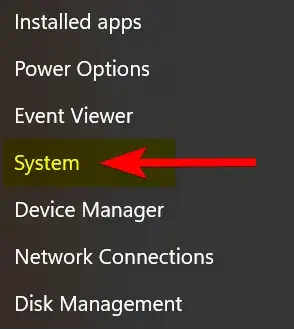
2. On the left-side panel, click on “System”, then click on the “Multitasking” option.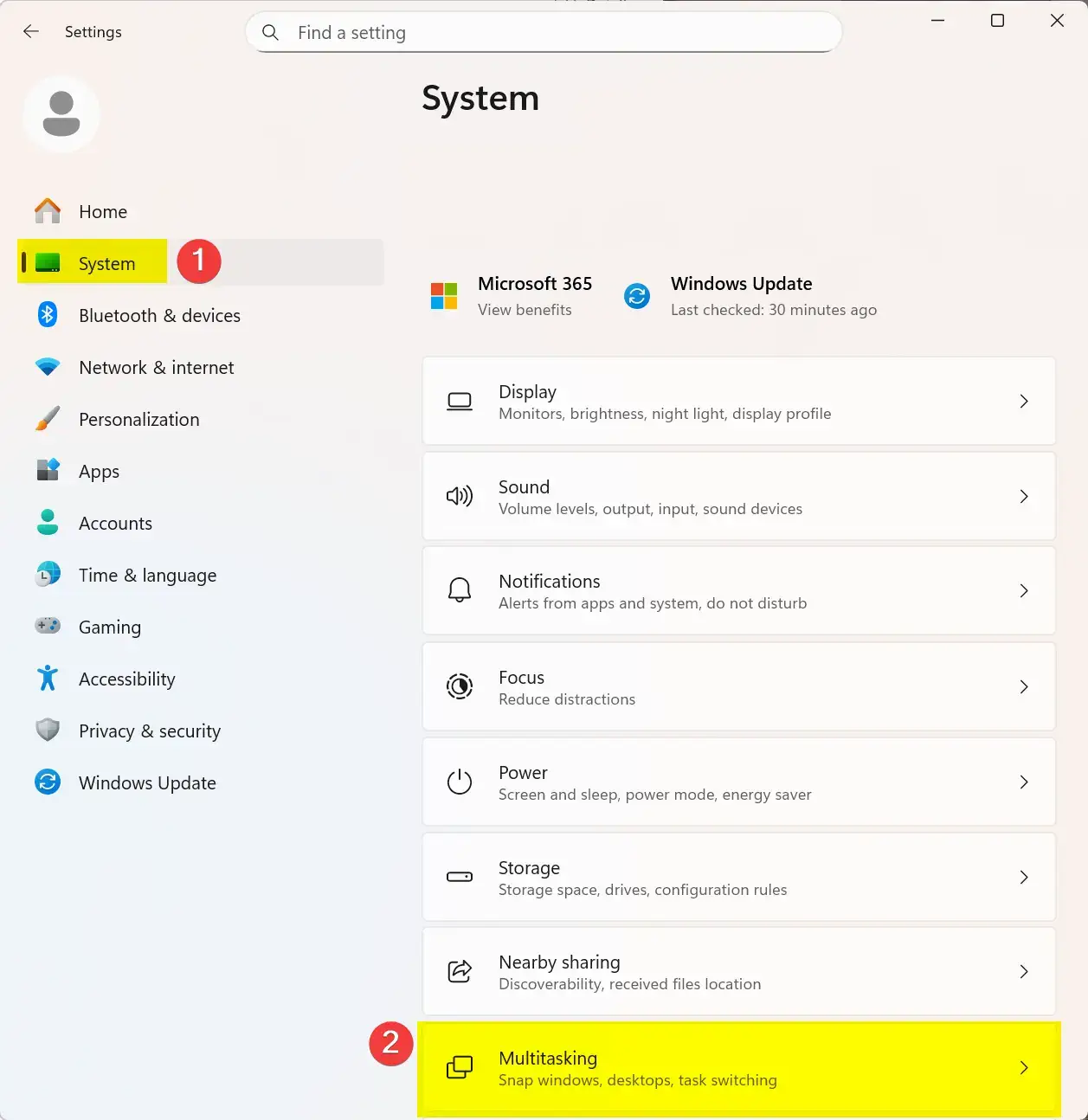
3. Now locate the “Snap windows” option, and click the toggle button to disable it. Of course, if sometime later on you wish to re-enable this feature, just click on the toggle button again to re-enable it.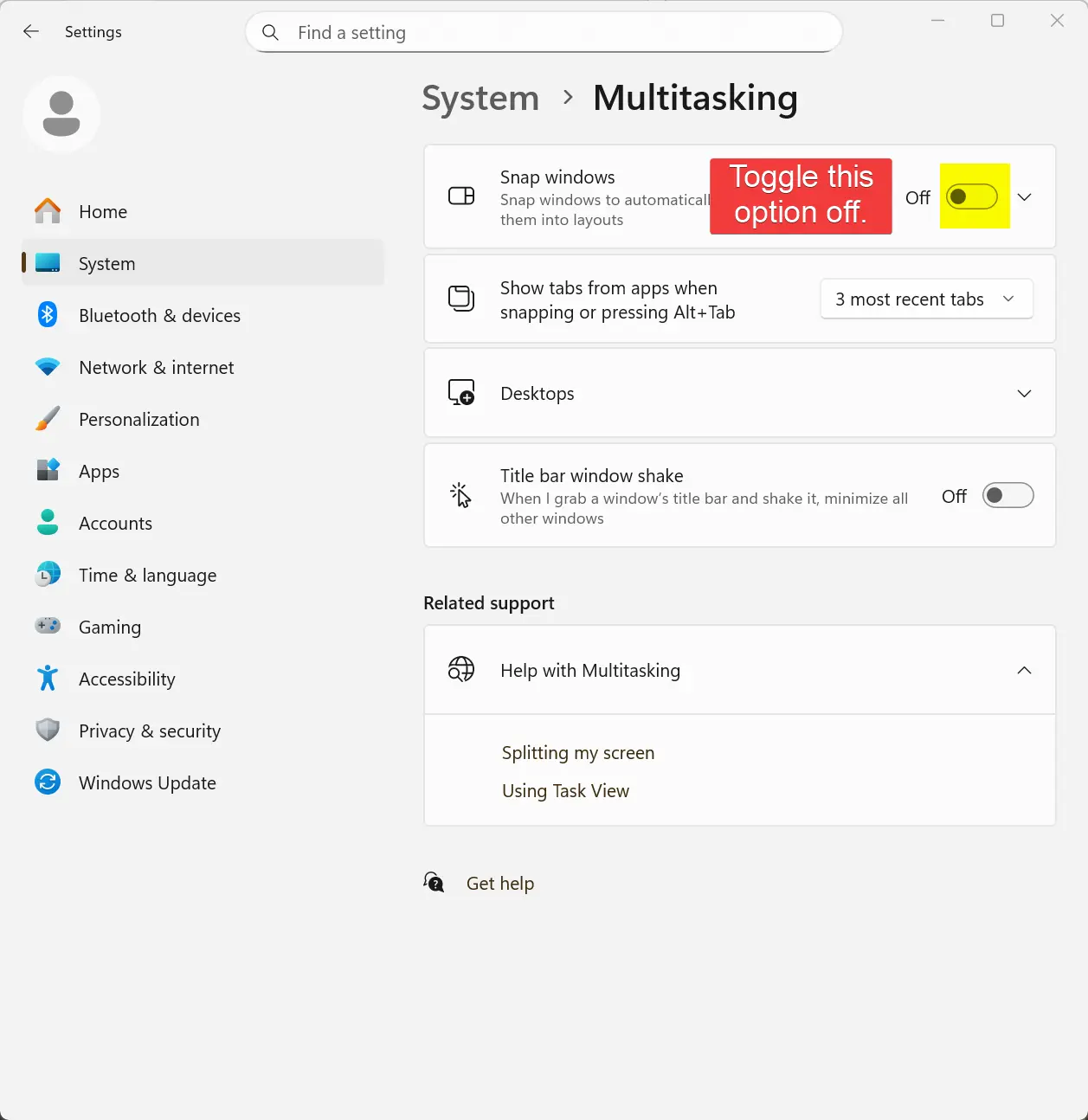
That is the end of this tutorial. I hope someone finds it useful.
Posted in Computers, Operating Systems, Tips & Tutorials